FreeView
The first all-in-one wireless ENT endoscope. Camera, scope, and light source, all unified. Two views, zero cables.

What is FreeView?
It’s easier than any nasal endoscopy equipment that I’ve ever used.
Dr. Marc Cohen
Managing Partner, ENT Group of Los Angeles · FreeView™ User
FreeView is simplifying ENT visualization with a fully integrated wireless platform that combines the camera, rigid endoscope, and light source into a single handheld device.
Say goodbye to bulky towers, cables, and complicated setups. FreeView streams live imaging wirelessly to an Android touchscreen display, allowing physicians to be ready in seconds. With up to 4 hours of continuous battery life, FreeView delivers the mobility and flexibility today’s practices need.
Available in a unique Dual-View configuration, FreeView allows physicians to instantly switch between 0° and 30° visualization at the push of a button, without changing scopes. The result is a faster, more efficient workflow and a better visualization experience from start to finish.
Dr. Marc Cohen
ENT Physician · FreeView™ User
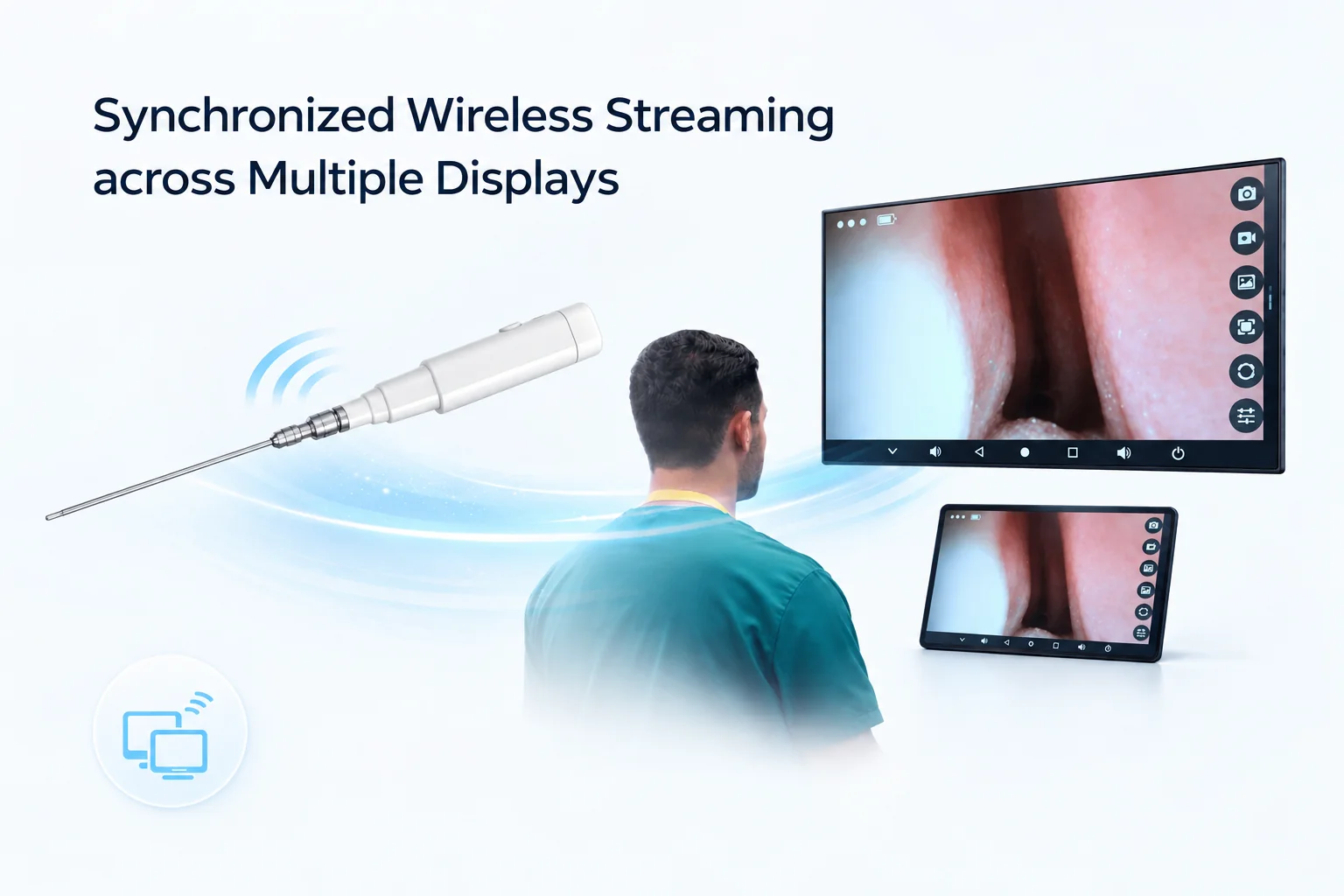
Stream Live. Everywhere in the Room.
FreeView transmits live imaging wirelessly to multiple displays simultaneously, enabling shared clinical viewing without infrastructure complexity.
Wireless Transmission
No cables between the scope and display. Live video streams wirelessly over Wi-Fi with a robust, reliable connection and near-zero latency.
Multi-Screen Support
Stream simultaneously to the bedside Android display and additional monitors in the room.
Android App Control
Capture, review, and switch lens views from the touchscreen interface without interrupting the procedure.
Future-Ready Platform
Built on Android, FreeView is designed to support future software enhancements and feature updates, helping protect your investment as the platform evolves.
Choose Your Configuration
Fourteen complete system packages for every procedure. Each includes a wireless camera, a digital scope with integrated LED, and an 18" display.
Dual-View Systems
Switch between 0° and 30° in a single scopeSingle-View Systems
From 4 mm down to a 1.2 mm petite scopeReady to Image in Seconds
FreeView was designed to eliminate setup friction. From power-on to live imaging takes moments.
Connect
Attach the handle to the rigid scope tube. Simple click-and-lock assembly.
Power On
Long press the power button. The system initializes in seconds.
Connect to Wi-Fi
Wi-Fi signal is available approximately 8 seconds after powering on. Connect your Android display.
Open App
Launch the FreeView application on the Android touchscreen.
View & Capture
Live image appears instantly. Capture photos and video directly from the app interface.
Switch View
On dual-lens models, short press the power button to instantly toggle between 0° and 30° views.
The Full FreeView Ecosystem
Every component you need is included. No external sourcing, no integration headaches.
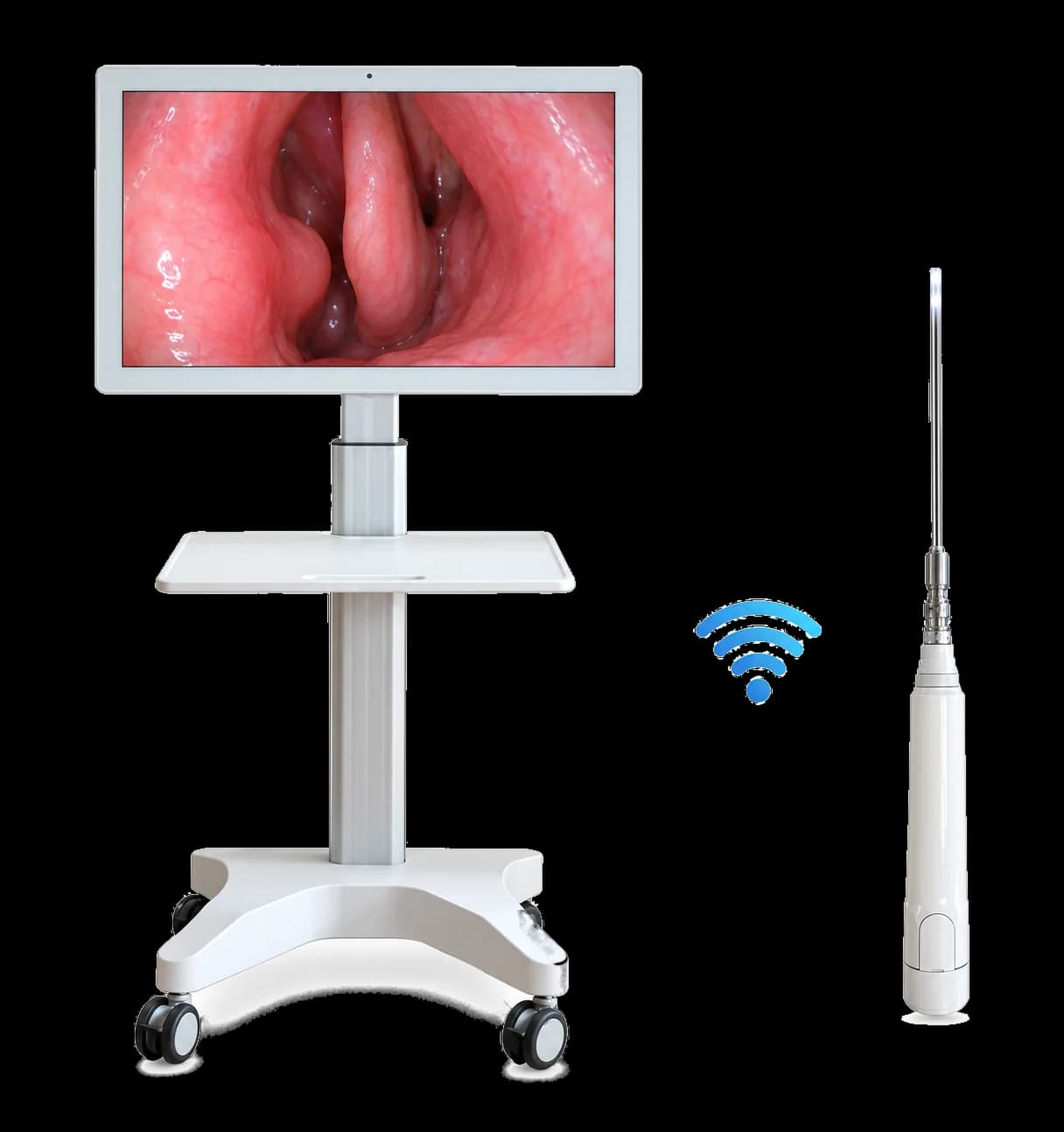
Wireless Endoscope Handle
The camera unit and integrated light source: a 3400 mAh battery, built-in Wi-Fi transmitter, and 6-LED illumination, all within the ergonomic handle.
Rigid Scope Tube
Available in 4 mm, 2.7 mm, 1.9 mm and 1.2 mm diameters, in working lengths from 7 cm to 18 cm. Dual-lens models carry both the 0° and 30° optical channels in a single shaft.
Android Display
Touchscreen Android device running the FreeView app. Standard 18.5" screen size. Provides live imaging, capture controls, and lens switching.
Optional Monitor Stand
Mobile stand configuration available for clinical room setup. Keeps the display ergonomically positioned without requiring additional infrastructure.
Product Documentation
FreeView Product Catalogue
A six-page product catalogue covering the full FreeView system: optical geometry drawn to scale, the start-up sequence, wireless platform specifications, and the complete 14-system ordering matrix.
- Shaft diameters and working lengths to scale
- Complete ordering matrix
- Full technical specifications
See FreeView in action.
Connect with our team to schedule a demonstration or request product information.